# API Key
{% tabs %}
{% tab title="General Key" %}
The **API Key** feature allows you to define and manage your own API keys for external LLM providers or models. Once created (e.g., `MY_API`), the key can be linked to any LLM provider or model in your environment. When selected, the system automatically uses the defined API key for authentication eliminating the need to re-enter it each time.
***
## **View API Key List**
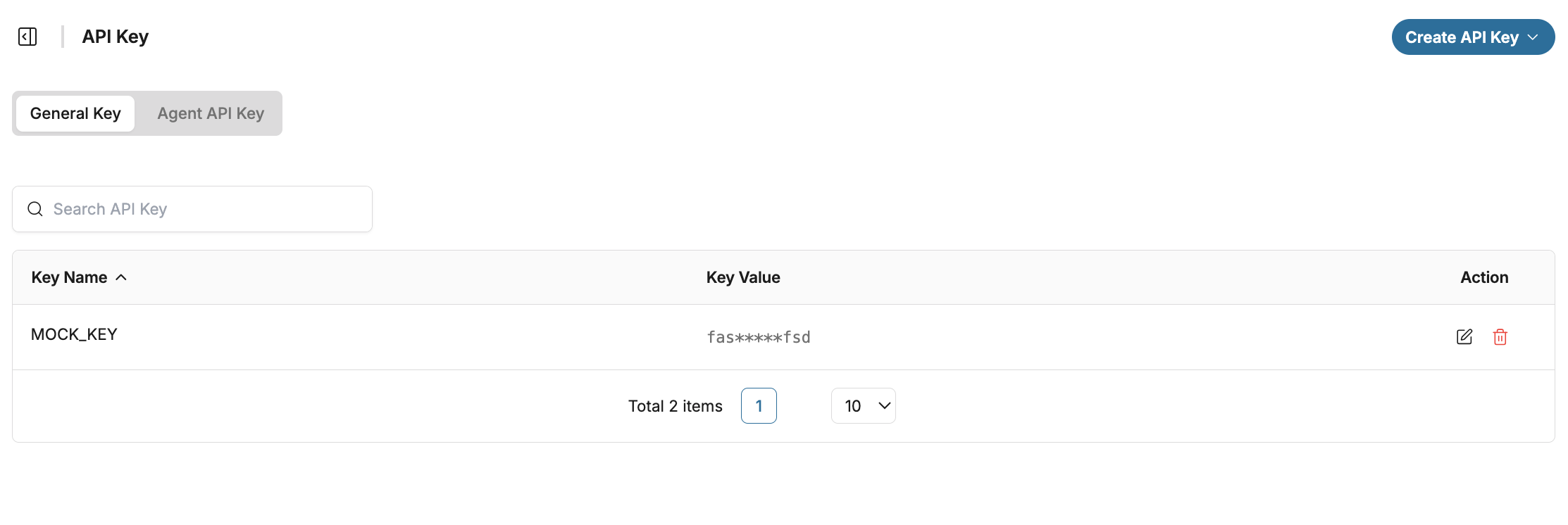
The table displays all available API Keys with the following fields:
1. Key Name\
The name of the API Key.
2. Key Value\
Displays the API Key value. **This key does not have an expiration date.**
***
## Add New API Key
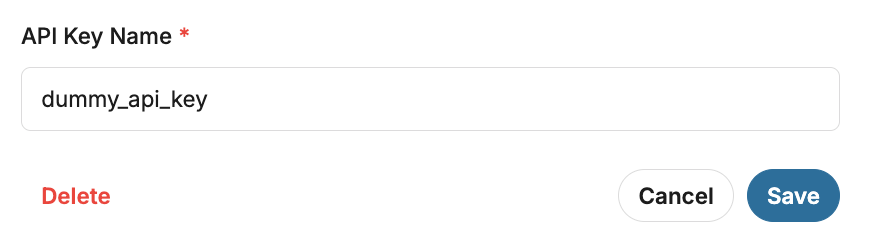
To create a new API key, click **New API Key**. Fill in the required fields below, then click **Save** to store the key or **Cancel** to discard the changes.
1. **API Key Name**\
Enter a unique label for the API key (e.g., `MY_API`). This name is used to identify the key within the system.
2. **API Key Value**\
Paste the actual API key string provided by your LLM provider.
***
## **Edit API Key Details**
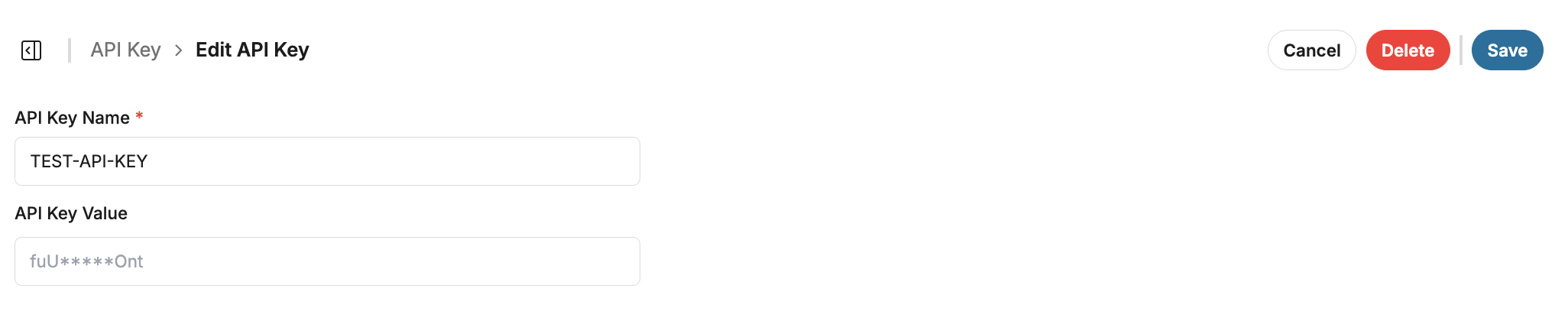
To view or edit an existing API key, click the **Edit** icon in the **API Key List** page. After making changes, click **Save** to apply them or **Cancel** to discard.
{% hint style="info" %}
For security reasons, the API key value is partially masked and only the first 3 and last 3 characters are displayed.
{% endhint %}
***
## **Search API Key**
Use the **Search** field to quickly find a specific API key by typing its name.
***
## **Delete API Key**
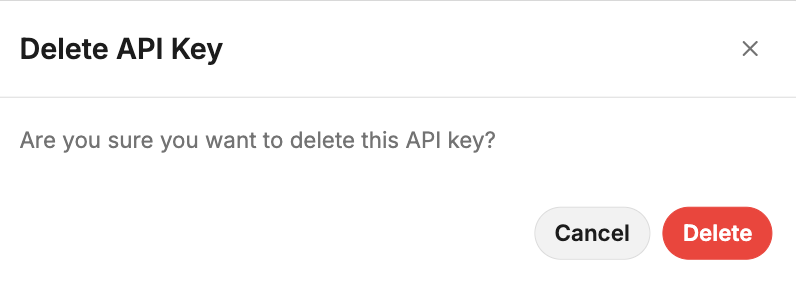
To delete an API key, click the **Trash** icon in the Action column. A confirmation pop-up will appear, click **Delete** to confirm or **Cancel** to abort the action.
{% hint style="info" %}
Deleted API keys cannot be recovered and will no longer be usable.
{% endhint %}
{% endtab %}
{% tab title="Agent API Key" %}
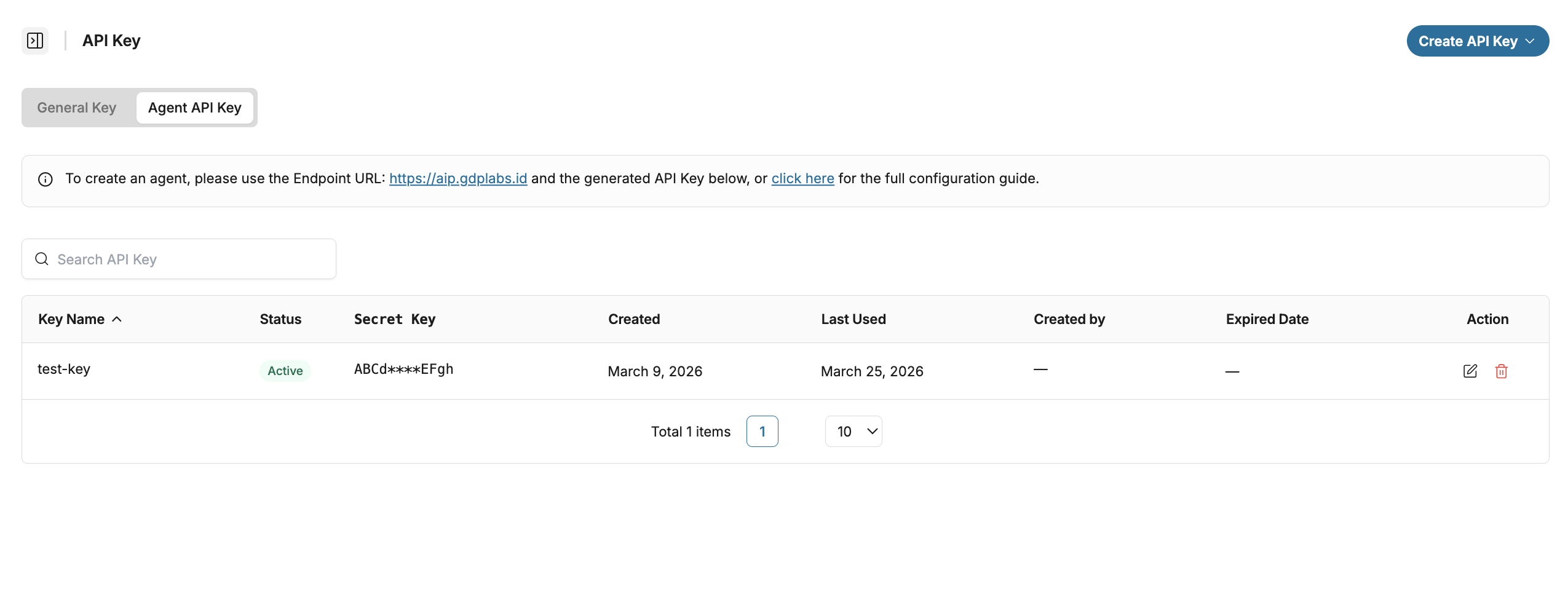
The **Agent API Key** feature allows users to generate and manage API Keys used for authenticating and integrating agents within the system. Users can monitor and manage API Keys to ensure secure and controlled access for agent operations.
***
## **View API Key List**
The table displays all available Agent API Keys with the following fields:
1. **Key Name**\
The unique name assigned to the API Key
2. **Status**
Displays the current status of the API Key:
* **Active** → Key is valid and usable
* **Expired** → Key is no longer valid after the expiration date
3. **Secret Key**\
Stored securely by the system and displayed in masked format only.
4. **Created**\
Displays the date when the API Key was created.
5. **Last Used**\
Displays the most recent date the API Key was used.
6. **Created by**\
Displays the user who created the API Key.
7. **Expired Date**\
Displays the expiration date of the API Key. \\
{% hint style="warning" %}
Agent API Keys expire after 90 days for security reasons. Create a new key once inactive.
{% endhint %}
{% hint style="info" %}
For security reasons, the API key value is partially masked and only the first 4 and last 4 characters are displayed.
{% endhint %}
***
## Add New API Key
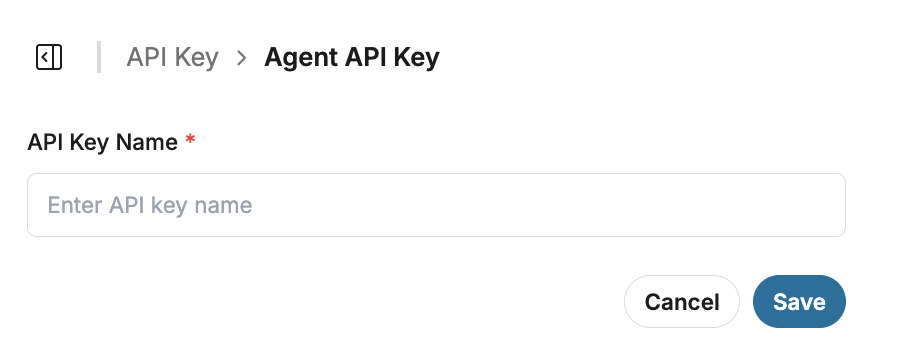
To create a new API key, click **Create API Key** and select **Agent API Key**. Fill in the required field below, then click **Save** to store the key or **Cancel** to discard the changes.
1. **API Key Name**\
Enter a unique name for the API key (e.g., ABC-Key). This name is used to identify the key within the system.
A secret key will be generated automatically after saving.
{% hint style="warning" %}
The Secret Key is displayed only once and cannot be retrieved again after closing the popup. Make sure to **copy and store it securely.**
{% endhint %}
***
## Edit API Key Details
To edit an existing API key, click the **Edit** icon in the API Key list page. After making changes, click **Save** to apply them or **Cancel** to discard.
***
## **Search API Key**
Use the **Search** field to quickly find a specific API key by typing its name.
***
## **Delete API Key**
To delete an API key, click the **Trash** icon in the Action column. A confirmation pop-up will appear, click **Delete** to confirm or **Cancel** to abort the action.
{% hint style="info" %}
Deleted API keys cannot be recovered and will no longer be usable.
{% endhint %}
{% endtab %}
{% endtabs %}





.png?alt=media&token=7dfb481c-bcca-444b-8c7e-ea5b42e495b5)