# Members
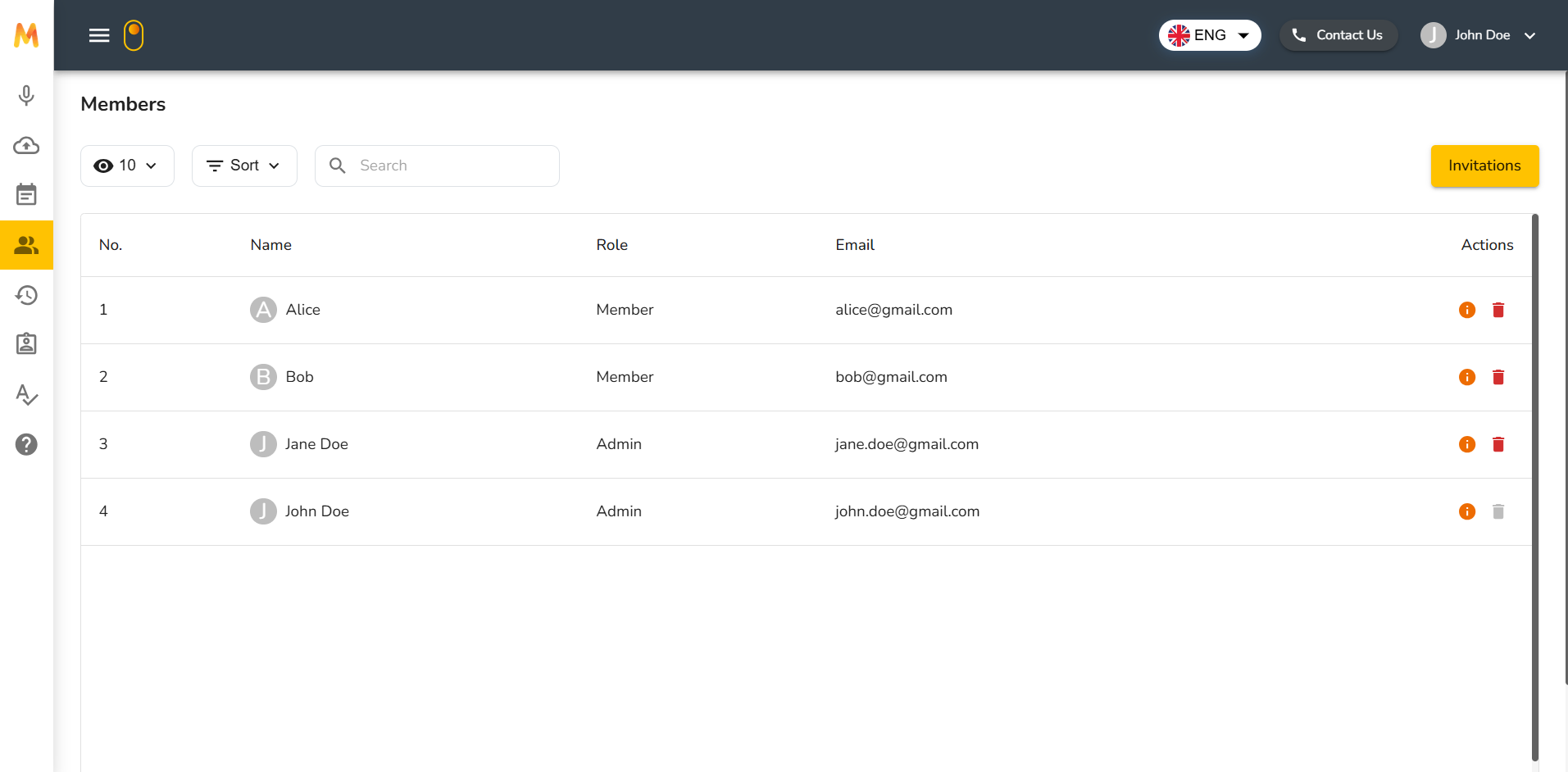
The **Members** page allows you to manage the members of your organization. This page is only available to those with the **Admin** role. As an admin, you can view all members in your organization, see their details, and invite new members.
## Members List
The members list is displayed in a table format with the following fields:
* **Name** – The member’s name, along with their profile initial.
* **Role** – The assigned role in the organization (Admin or Member).
* **Email** – The email address used to access Meemo.
* **Actions** – Quick controls to:
* View more information (info icon)
* Remove the member (trash icon)
Above the table, you can also:
* Adjust the **number of entries displayed** (e.g., 10, 25, 50).
* **Sort** the list by different fields.
* Use the **Search bar** to quickly find a member by name or email.
## Add a Member
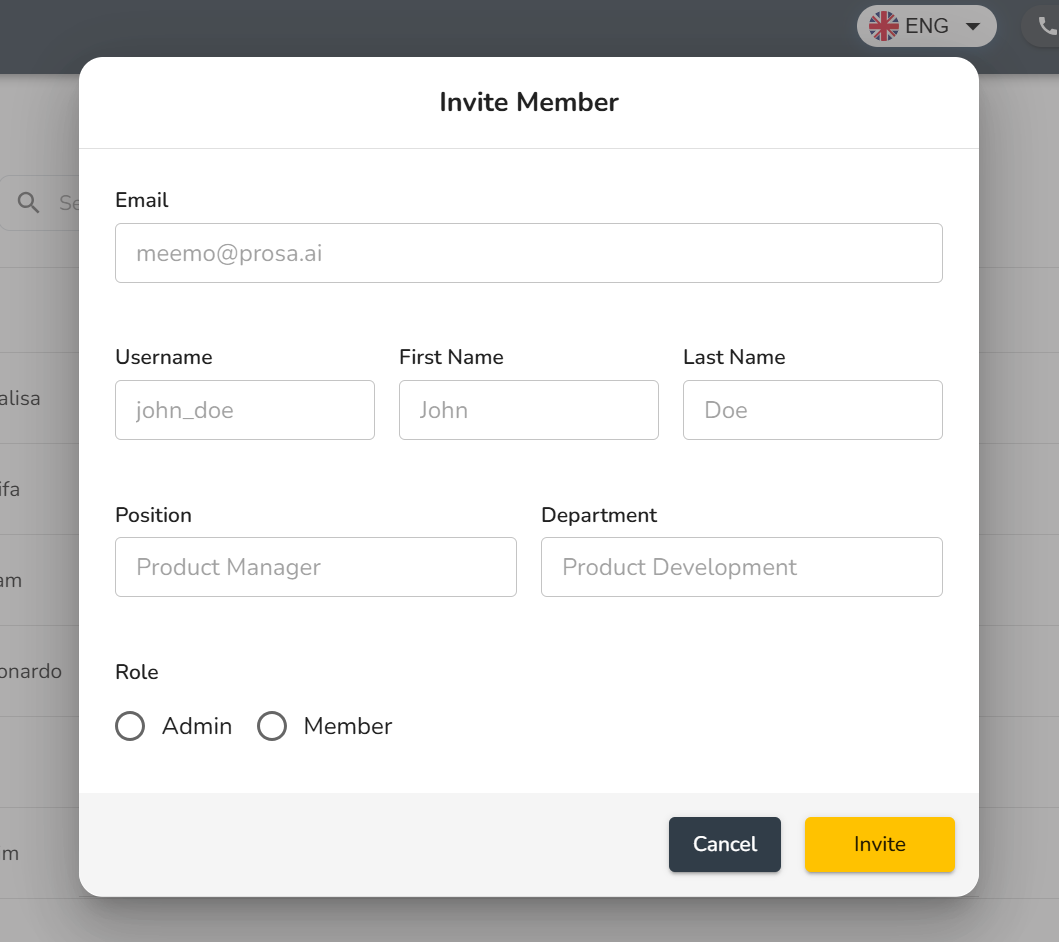
As an admin, you can add new members to the organization. To do this, click the **Invitation** button at the top of the page. A pop-up window will appear where you can fill in the new member’s information.
The fields available in the invitation form are:
* **Email** – The email address that will receive the invitation and be used to access Meemo.
* **Username** – The username that the member will use to sign in.
* **First Name** and **Last Name** – The full name of the member to be added.
* **Position** – The role or job title of the member in the organization.
* **Department** – The department to which the member belongs.
* **Role** – Choose whether the new member will join as an **Admin** or as a **Member**.
After completing all required fields, click Invite. The system will automatically save the new member’s data, and the member will be added to your organization immediately.
## Announcement Email
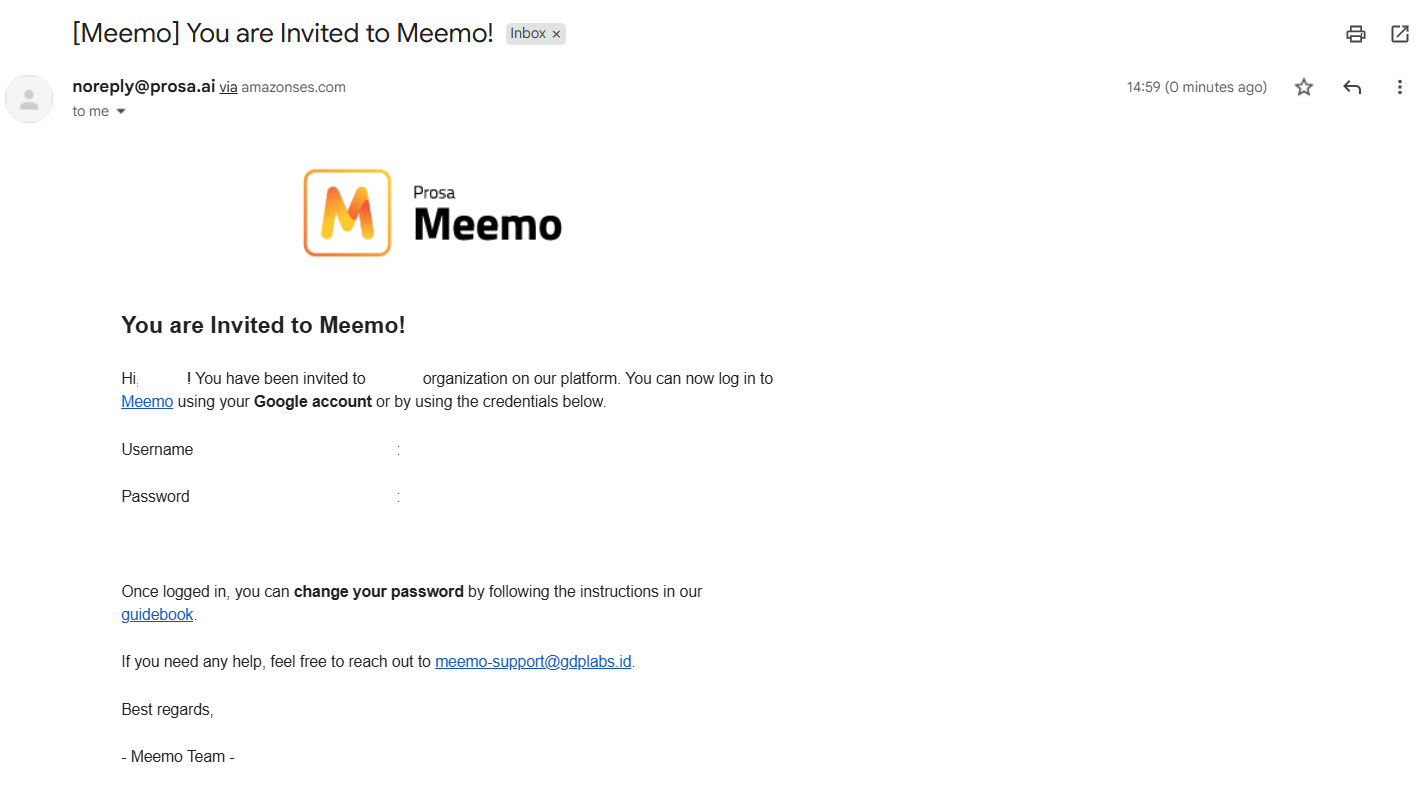
Once the member is added, they will receive an email from Meemo with the subject “You are Invited to Meemo!”. This email serves as an announcement that their account has been created and that they can now log in to Meemo.
The email includes the Username defined by the admin and a system-generated Password. The member can use these credentials to access Meemo right away.
After logging in, the member will be part of the same organization as the admin who created the account.