
Preference on LLM Model and Anonymize Personal Data
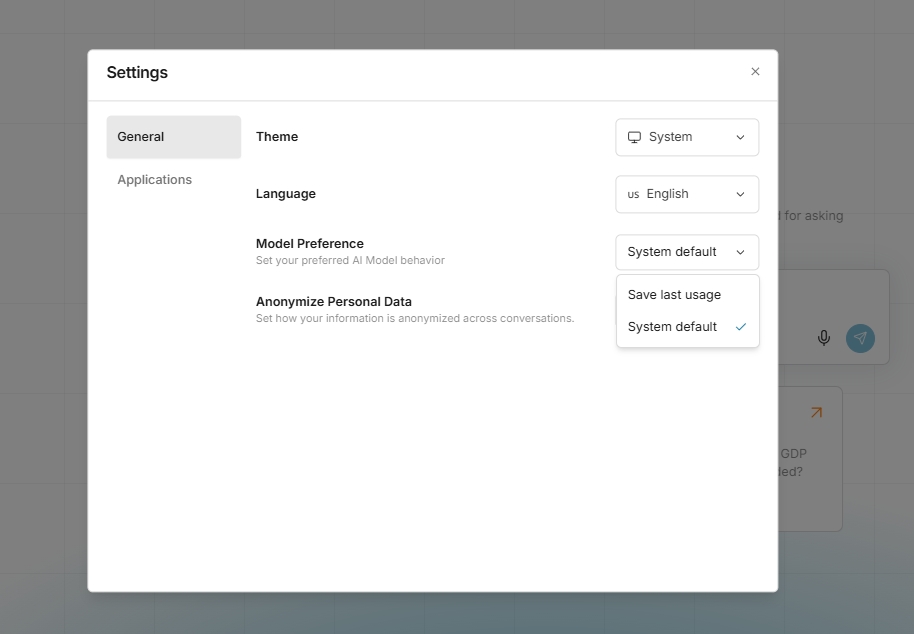
This feature allows you to select preferences for the LLM Model and the Anonymize Personal Data configuration, which will be applied during interactions with the bot. To access this menu, simply go to the profile settings. In the General tab, you will find options for Model Preference and Anonymize Personal Data. "System default" means that the Model Selection or Anonymize Personal Data will follow the preset configurations of the system. "Save last usage" indicates that the last selected configuration (LLM Model or Anonymize Personal Data) will be applied to your next chat with the bot. *Note: The current implementation saves preferences in the browser's local storage. Therefore, if you switch to a different browser or device, it will revert to the system default settings.

Last updated